


Table of Contents Show
Last Updated: 07.04.2026
Driving is an essential part of our daily lives, but with the convenience of driving comes the responsibility of following traffic laws. Unfortunately, despite our best efforts, we may find ourselves in a situation where we receive a traffic ticket. If you live in Ontario and have received a traffic ticket, it is important to check its status regularly.
Fortunately, Ontario’s online system allows drivers to check the status of their traffic tickets and fines from the comfort of their own homes. In this guide, we will walk you through the process of checking for traffic tickets online in Ontario, including how to pay your fine and what to do if you disagree with the ticket.
Quick Summary: How to Check Your Ticket
- Official Tool: Ontario.ca Provincial Offences Online Service
- What You Need: Your 4-digit Location Code and unique Offence Number.
- Wait Time: Most tickets take 10–15 days to appear in the online system.
- Parking Tickets: These cannot be checked on the provincial site; you must visit the website of the specific city (e.g., Toronto, Ottawa) where the ticket was issued.
Whether you are looking to confirm your court date, verify the fine amount before it’s overdue, or find out if you’ve already been convicted in your absence, this guide covers every way to look up your status in Ontario.
Important Note on Timing: It typically takes 10 to 15 days for a traffic ticket to be uploaded into the Ontario provincial system. If you just received your ticket today, it will likely not appear online yet. Please wait two weeks before attempting to look it up.
Can You Look Up Ontario Tickets by License Plate?
Short Answer: It depends on the type of ticket you received.
- Standard Traffic Tickets (Moving Violations): No. If you were pulled over for speeding, stunt driving, or running a stop sign, the Ontario Provincial system cannot be searched by license plate or driver’s license number for privacy reasons. You must have your 4-digit Location Code and Offence Number.
- Parking & Camera Tickets (Red Light / Speed Cameras): Yes. Most major cities—including Toronto, Ottawa, and Mississauga—now use an Administrative Penalty System (APS). Because these tickets are issued to the vehicle permit holder rather than a specific driver, you can look them up online using only your License Plate Number.
Note for 2026: If you received a camera ticket in the mail, look for the words “Penalty Order” or “Notice of Violation.” These specific documents are almost always searchable via license plate on municipal portals.
How to Search: Can You Use Your License Plate?
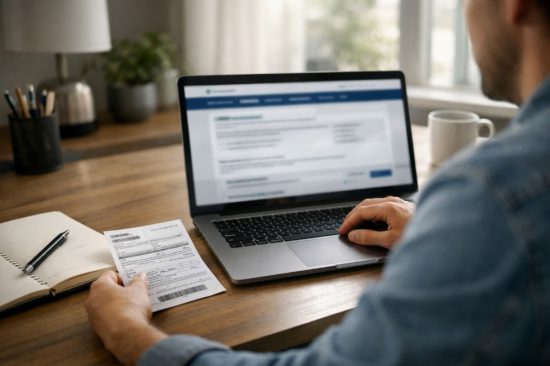
One of the most common questions is whether you can look up a ticket using only your license plate number. In Ontario, the answer depends entirely on who issued the ticket. Use the table below to find the correct search method for your situation:
| Ticket Type | Can Search by Plate? | Required Information | Where to Look Up |
| Moving Violations (Speeding, Stunt Driving, Stop Signs) | No | Offence Number + Location Code | Ontario.ca POA Portal |
| Parking Tickets | Yes | License Plate Number | Your City’s Parking Portal (e.g., Toronto Parking) |
| Camera Tickets (Red Light or Speed Cameras) | Yes | License Plate + Penalty Number | Municipal APS Portal (e.g., Toronto APS) |
Pro Tip: If you received a ticket in the mail for a camera violation after January 20, 2025, it is likely handled under the Administrative Penalty System (APS). These are tied to your vehicle permit, which is why they can be found via your license plate, unlike traditional tickets given to you by an officer.
Can You Look Up Ontario Tickets by License Plate?
Short Answer: It depends on the ticket type.
- Standard Traffic Tickets (Speeding, Stunt Driving): No. The Ontario Provincial system requires an Offence Number and Location Code. You cannot search these by license plate or driver’s license for privacy reasons.
- Parking & Camera Tickets (Red Light, Speed Cameras): Yes. In many cities like Toronto, Ottawa, and Mississauga, you can look up these specific tickets using your License Plate Number through their Administrative Penalty Systems (APS).
Step-by-Step Guide: How to Check Your Ontario Ticket Status?
Follow these steps to access the Provincial Offences Act (POA) online service.
Step 1: Visit the Official Government Portal
Navigate to the official Ontario.ca “Check Ticket Status” page. Avoid third-party “middleman” sites that charge extra fees; only use the official .ca government link.
Step 2: Enter Your Ticket Identifiers
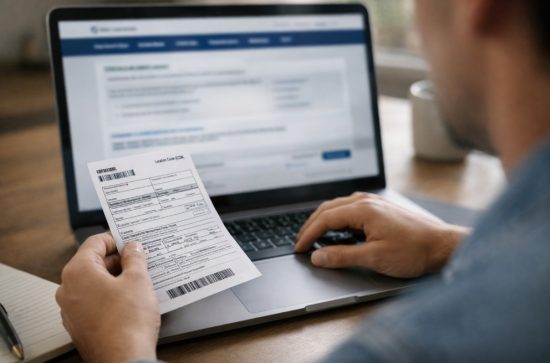
The system requires two specific codes found on the top right corner of your ticket:
- Location Code (ICON): A 4-digit number that identifies the court office (e.g., Toronto is 4860, Ottawa is 1560).
- Offence Number: A unique string of characters (up to 8 or 9 digits).
-
Note: If you have a Summons, you must use the Case Number instead.
-
Step 3: Select Your Language and Search
Choose English or French and click “Search.” If the system says “No records found,” double-check your numbers. If it has been fewer than 10 days since you got the ticket, it likely hasn’t been uploaded yet.
Step 4: Review Your Status Results
Once the system finds your file, it will display one of the following statuses. Here is exactly what they mean for your driving record:
| Online Status | What it Means | Your Next Step |
| Active / Pending | The ticket is in the system. No conviction has been registered yet. | Choose your option: Pay the fine, request a meeting, or go to trial. |
| Convicted | You have been found guilty, likely because the 15-day response window passed. | Pay immediately to avoid license suspension and extra late fees. |
| Paid | The court has received your payment in full and the case is now closed. | Keep your receipt. Note: Demerit points stay on your record for 2 years. |
| In Collection | The fine is long overdue and has been sent to a private collection agency. | You must pay the agency directly. This may impact your credit score. |
Why Check for Traffic Tickets Online in Ontario?
Checking for traffic tickets online in Ontario can provide valuable information regarding the status of a ticket or fine, including how much is owed, where to pay, and how to request a meeting with a prosecutor before a trial.
By checking the status of a ticket online, an individual can determine if they need to take action, such as paying the fine or requesting a trial.
It is also possible to defend a traffic ticket, but the status of the ticket must be checked online, and the location code and offense number printed on the ticket must be provided.
Detailed Version Of How to Check if You Have Traffic Tickets Online
To check the status of a Provincial Offences Act (POA) ticket (such as speeding, careless driving, or red light camera fines), you should use the official Ontario Government portal.
- Official Tool: Ontario.ca – Check Ticket Status
- What you’ll need: Your Location Code (4 digits) and Offence Number (up to 8 digits). These are found at the top right of your green or yellow ticket.
Pro Tip: If you have a parking ticket, do not use the link above. Parking tickets are handled by individual municipalities. You must visit the specific website for the city where you received the ticket (e.g., Toronto Court Case Look Up).
All fines or tickets issued under the Provincial Offenses Act can be tracked down.
But you are unable to track fines or tickets for:
- Criminal offenses
- Parking tickets
- Appeals
- Publication-banned cases
- Charges involving anybody under the age of 16
Gather the Required Information to Check Traffic Tickets
To lookup your ticket successfully, you must have the following two pieces of information from your “Offence Notice”:
- Offence Number: This is a unique string of numbers and letters (usually 8-10 digits).
- Location Code: A 4-digit code representing the specific court office in the jurisdiction where you were charged.
What to Do If You Lost Your Traffic Ticket?
If you have lost your physical ticket and don’t have your Offence Number, don’t panic. Since the provincial portal doesn’t allow searches by name, follow this 3-step recovery workflow to find your ticket status:
Step 1: Check Local Portals (The Plate Hack)
Before calling anyone, check the municipal portal for the city where you were driving. If your ticket was for parking, a red light camera, or a speed camera, you can usually find it using only your license plate number.
- Toronto: Use the Toronto Court Case Lookup.
- Other Cities: Search for “[City Name] + Administrative Penalty Lookup.”
Step 2: Contact the Court Directly
If it was a moving violation (like speeding) given to you by an officer, you must call the court in the jurisdiction where you received the ticket. A clerk can look up your Offence Number using your Name and Date of Birth.
Top 5 Busiest Ontario Court Contact Numbers:
- Toronto: 416-338-7320
- Brampton: 905-450-4770
- Mississauga: 905-615-4500
- Ottawa: 613-580-2665
- Hamilton: 905-540-5592
Step 3: Order a Driver’s Record (The Paper Trail)
If you aren’t sure where you got the ticket or if it has already resulted in a conviction, you can order a 3-Year Driver’s Record (Abstract) from ServiceOntario.
- Uncertified (Online): $12 (Delivered instantly as a PDF).
- Certified (By Mail): $18 (Required for legal or official court purposes).
- Why do this? This document will list any convictions already registered against your license, even if you lost the original paperwork.
Understand the Ticket Information and Possible Penalties
When you receive a traffic ticket in Ontario, it will include information about the offense you have been charged with, the set fine amount, and the deadline to pay the fine or dispute the ticket.
The ticket will also indicate whether you are required to attend court or if you can pay the fine out of court. It is important to read the ticket carefully and understand the information provided.
The penalties for traffic tickets in Ontario can vary depending on the type of offense. Minor offenses, such as speeding or running a red light, can result in fines ranging from $50 to $400, while more serious offenses such as careless driving or driving under the influence of drugs or alcohol can result in fines up to $50,000 and even imprisonment.
In addition to fines, some offenses may result in demerit points being added to your driving record, which can affect your insurance rates and ability to drive.
If you receive a traffic ticket in Ontario, you have the option to pay the fine, request a trial, or meet with a prosecutor to discuss a plea deal.
It is important to understand that paying the fine is an admission of guilt and will result in demerit points being added to your driving record, which can lead to higher insurance rates. If you choose to dispute the ticket, you will need to attend court and present your case to a judge.
It is important to take traffic tickets seriously and understand the potential penalties. If you have questions or concerns about a traffic ticket, you can contact the Ontario Court of Justice for more information.
Understanding Your Ticket Type
| Ticket Type | Color / Form | Examples | Can You Check Online? |
| Part I | Green Ticket | Speeding, stop sign, red light | Yes (Ontario.ca portal) |
| Part II | Yellow/White | Parking, expired meter | No (Must use City website) |
| Part III | Summons | Stunt driving, no insurance | Yes (Search by Case Number) |
How to Pay Your Fine Online?
To pay your traffic ticket fine online in Ontario, you can use the province’s online payment system.
Here are the steps to follow:
- Go to the Ontario government’s online payment system at https://www.ontario.ca/page/pay-your-ticket.
- To access the online service, click the “Continue” button.
- Read the terms and conditions and click on the “I Agree” button to proceed.
- Enter your ticket number, which is located near the top of your ticket, and your date of birth, then click on the “Continue” button.
- Review the ticket information to ensure it is correct.
- Enter your payment information, including your credit card or debit card information, and the amount you wish to pay.
- To complete the transaction, click the button that says “Submit Payment”.
Once your payment has been processed, you will receive a confirmation number and a receipt. For your records, it’s crucial to maintain this information.
What to Do If You Disagree with the Ticket?

If you disagree with a traffic ticket in Ontario, there are several steps you can take to dispute it.
One way is to dispute the ticket in writing with a brief letter of explanation regarding your wish to dispute the ticket. Another option is to go in person to the address shown on the front of the ticket and request a formal Notice of Dispute form.
To dispute an Offense Notice, one must go to the courthouse and select Option 3 on the back of the ticket and schedule a trial. It is crucial to remember that you have the right to request the reversal of your conviction and a new trial if you are found guilty of a ticket without a hearing.
You must apply for this “reopening” within fifteen days of becoming aware of the conviction. To learn more about the application process, get in touch with the court office listed on the back of your ticket.
Benefits of Checking for Traffic Tickets Online
Checking for traffic tickets online can have several benefits for drivers in Ontario. Here are a few advantages:
- Convenient: Checking for traffic tickets online is a convenient way to access information about your driving record and any outstanding tickets. You can do it from the comfort of your own home or office, without having to visit a courthouse.
- Saves time: Checking for traffic tickets online can save you time, as you can access the information you need instantly. You won’t have to wait in line or spend time on hold waiting to speak to someone on the phone.
- Helps you avoid missed deadlines: By checking for traffic tickets online, you can ensure that you are aware of any outstanding fines or deadlines for payment or dispute. This can help you avoid missed deadlines, which can result in additional fees or penalties.
- Ensures accuracy: Checking for traffic tickets online can help you ensure that the information on your driving record is accurate. If you find any errors or discrepancies, you can take steps to correct them before they result in additional fees or penalties.
- Can save money: By checking for traffic tickets online, you can identify any outstanding fines and take steps to pay them before they accumulate additional fees or result in license suspension. This can save you money in the long run.
Overall, checking for traffic tickets online can help you stay informed and avoid unnecessary fees and penalties.

Can’t Find Your Ticket? Try These Local Court Portals
Sometimes, tickets, especially parking violations or city-specific automated camera fines—are not listed on the provincial website. If you were ticketed in a major city, try their direct search tools:
| City / Region | Online Lookup Tool | Court Phone Number |
| Toronto | Toronto Court Case Lookup | 416-338-7320 |
| Ottawa | City of Ottawa Ticket Search | 613-580-2665 |
| Brampton | Brampton Court Services | 905-450-4770 |
| Mississauga | Mississauga Ticket Lookup | 905-615-4500 |
| York Region | York Provincial Offences | 905-898-0425 |
Still unsure? You can find a full list of every Provincial Offences Court location in Ontario here.
2026 Update: The Shift to the Administrative Penalty System (APS)
If you haven’t received a ticket in a while, you may notice the process looks different. Most major Ontario municipalities—including Toronto, Ottawa, and Mississauga—have transitioned from the Provincial Offences Act (POA) to the Administrative Penalty System (APS) for parking and camera-based fines.
Why This Matters for Your Search:
- Tied to Vehicle, Not Driver: APS tickets are issued to the “owner” of the vehicle. Because they are not criminal charges, they are tied to your License Plate Number rather than your Driver’s License. This makes them much easier to look up online if you’ve lost the paperwork.
- No More “Days in Court”: Under the new 2026 rules, you no longer go to a traditional court for these tickets. Instead, you meet with a “Screening Officer” (online or in-person).
- Unified Municipal Portals: As of January 20, 2025, the City of Toronto unified its lookup system. You can now search for Parking, Red Light Camera, and Speed Camera tickets in one single “Administrative Penalty Lookup” portal using just your plate and a penalty number.
Important Distinction: Speeding tickets handed to you by an officer are still POA offences. These will never be searchable by license plate and still require the traditional court-based lookup on the Ontario.ca portal.
Conclusion
In conclusion, checking for traffic tickets online in Ontario is a simple and convenient way to stay informed about any traffic violations you may have. With the government’s online system, you can easily view the details of your ticket, understand the possible penalties, and pay your fine online if necessary.
By regularly checking for traffic tickets, you can avoid any unpleasant surprises, keep your driving record clean, and maintain your license. Remember, as a driver, it is your responsibility to follow traffic laws and regulations, and checking for traffic tickets online is a crucial step in fulfilling this responsibility.
FAQs on how to check if you have traffic tickets online Ontario
How do you check if you have red light or speed camera tickets online?
As of 2025/2026, many cities like Toronto and Ottawa have moved to an Administrative Penalty System (APS). If your ticket was issued by a camera, you may need to use a specific municipal lookup tool (like Toronto’s Administrative Penalty Lookup) rather than the provincial POA site. You will need your Penalty Order Number and Plate Number.
Can I check for traffic tickets using just my Driver’s License number?
No. For privacy reasons, the Ontario provincial portal requires a specific Offence Number and Location Code. If you only have your driver’s license, you must contact the Municipal Court office in the area where you were ticketed to have them look up your file manually.
Why is my ticket not showing up online?
There are three common reasons:
- The 10-15 Day Rule: It takes up to two weeks for an officer to file the paperwork and the system to update.
- Wrong System: You are looking at the provincial site for a municipal parking ticket.
- Jurisdiction: The ticket was issued in a region that uses a private portal (like PayTickets.ca) instead of the main government site.
Is there a fee to check or pay my ticket online?
Checking your status is free. However, if you choose to pay online, most Ontario municipalities charge a non-refundable convenience fee (usually between $3.00 and $3.50) per transaction.
Do red light camera tickets add demerit points to my record?
No. Because the camera captures the vehicle and not the driver, red light camera and automated speed enforcement (ASE) tickets result in a fine only. They do not add demerit points to your driver’s license, though they must still be paid to avoid plate denial.